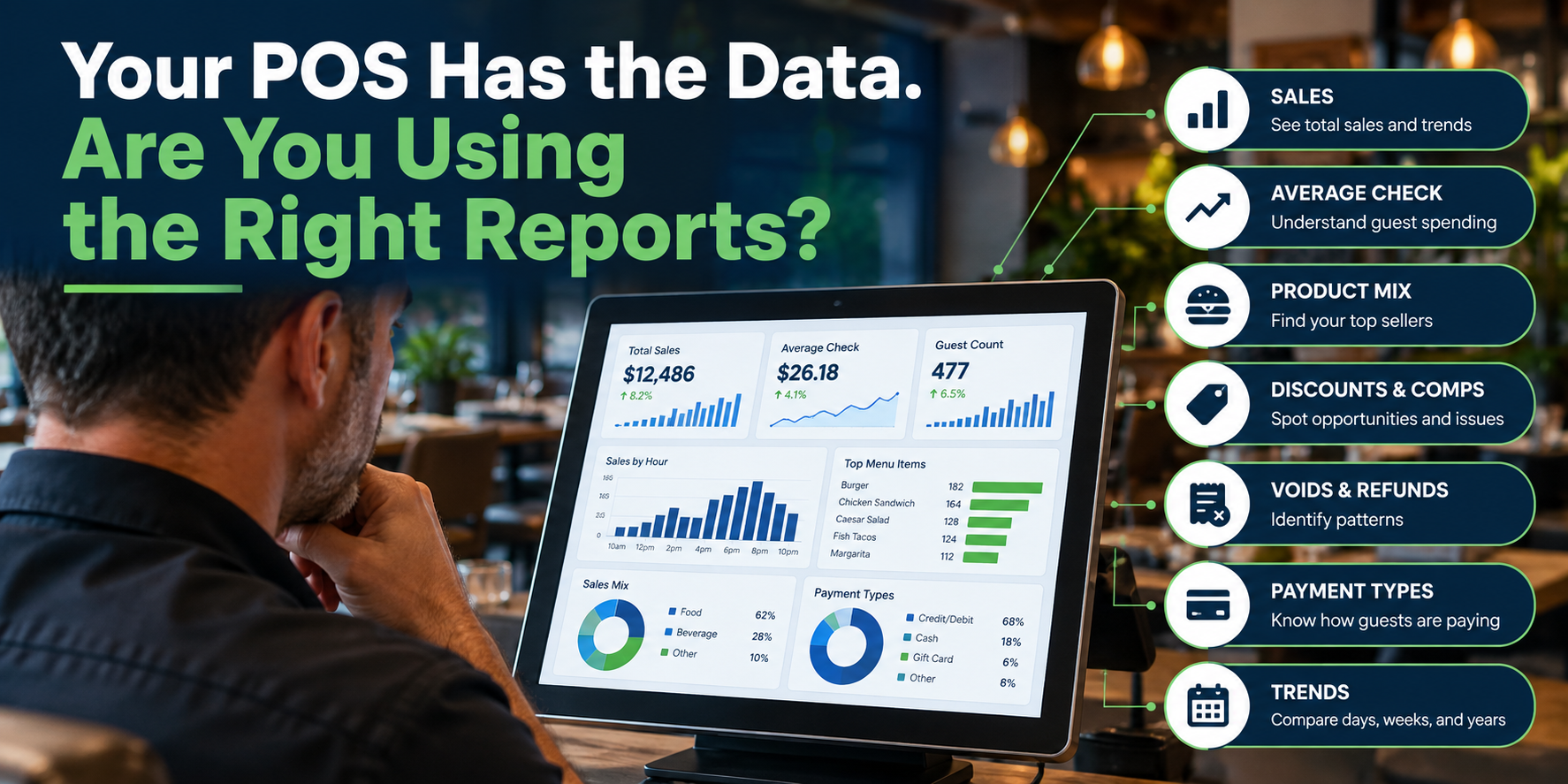
Every restaurant POS collects data, lots of it:
- Sales totals.
- Checks.
- Discounts.
- Voids.
- Employee activity.
- Payment types.
- Menu-item sales.
- Order times.
- Guest counts.
- Online orders.
The problem usually isn't a lack of information. It's knowing which information is actually useful. Many restaurant operators log into their POS, check yesterday's sales, maybe look at labor, and move on. Those numbers matter, but your POS may be able to tell you considerably more about what's happening inside the restaurant, and where there may be opportunities to improve.
The goal isn't to run every report available. It's to identify the handful of reports that help you make better decisions.
These are the reports we recommend restaurant owners and managers focus on.
1. Daily Sales
Start with the obvious one: you need to know how much the restaurant sold. A useful daily sales report should provide more than one total.
Depending on your POS, look at:
- Gross sales
- Net sales
- Taxes
- Discounts
- Comps
- Refunds
- Guest count
- Check count
- Average check
- Sales by revenue center
The value comes from understanding how those numbers relate.
For example, sales may be up while guest count is down.
That tells a different story than sales and guest count both increasing. A single sales number rarely tells the full story.
2. Sales by Hour
Knowing what you sold matters.
Knowing when you sold it can be just as useful.
Sales-by-hour reporting can help identify:
- Peak service periods
- Slow periods
- Staffing opportunities
- Early or late business trends
- Changes in guest behavior
If the restaurant consistently slows dramatically after 8:30 PM, that may affect staffing decisions.
If lunch is growing between 11:30 and noon, you may want employees ready earlier.
Historical hourly data can be particularly useful when building schedules.
3. Average Check
Average check shows how much each transaction or guest spends. Track it over time rather than obsessing over one day's number.
Changes may be influenced by:
- Menu price increases
- Product mix
- Upselling
- Promotions
- Order channel
- Guest count
You can also compare average checks between dine-in, takeout, delivery, and online ordering. This may reveal very different customer behavior across channels.
4. Menu-Item Sales
Your POS knows exactly what you're selling.
Use this information.
A product-mix or item-sales report can identify:
- Best sellers
- Poor sellers
- Seasonal trends
- Category performance
- Add-on popularity
- Modifier usage
This can help with menu decisions.
An item everyone assumes is popular may barely sell. Another may quietly account for a meaningful portion of revenue.
Don't rely only on intuition when the transaction data is already available.
5. Sales Mix
Item sales tell you what sold.
Sales mix helps show where the money comes from.
You might compare:
- Food vs. beverage
- Alcohol vs. non-alcohol
- Dine-in vs. takeout
- Online vs. in-store
- Lunch vs. dinner
- Catering vs. regular service
This becomes particularly useful as restaurants add new revenue channels. If online ordering now represents 18% of restaurant sales, that deserves operational attention.
6. Discounts
Discounts are often reviewed only when something looks suspicious.
They should be monitored more routinely.
Look at:
- Total discount amount
- Discounts as a percentage of sales
- Discount type
- Employee applying the discount.
- Time and date
- Location
The goal isn't to assume employees are doing something wrong. A discount report can reveal operational patterns. Maybe one promotion is being used far more than expected; another, employees consistently select the wrong discount button. Perhaps an old promotion is still active months after it should have ended.
Reporting helps you find those issues.
7. Comps
Comps deserve separate attention from normal promotional discounts.
A restaurant may use comps for:
- Guest recovery
- Manager meals
- Employee meals
- Promotional reasons
- VIP guests
- Service issues
Track why items are being comped.
Repeated guest-recovery comps may point to a larger operational problem. If the same item is constantly being removed from checks because of kitchen issues, the report may be telling you something beyond the dollar amount.
8. Voids
Voids can indicate both training and operational issues.
Review:
- Number of voids
- Value of voids
- Employees involved
- Items voided
- Time of day
- Reasons entered
A high number of voids doesn't automatically mean something improper is happening.
It may indicate:
- Employee training problems
- Confusing menu buttons
- Duplicate orders
- Kitchen mistakes
- Poor modifier configuration
Reporting helps identify the pattern, then you can solve the actual problem.
9. Refunds
Refunds are different from voids because they may occur after a transaction has already been completed.
Track:
- Refund amount
- Reason
- Employee or manager
- Payment method
- Original transaction date
Unusual refund activity deserves review, but even legitimate refunds can expose recurring guest-experience problems.
10. Employee Sales
Employee-level reporting can provide useful operational context.
Depending on your restaurant, you may look at:
- Sales
- Average check
- Guest count
- Discounts
- Voids
- Comps
- Tips
Be careful about interpreting these numbers in isolation.
A bartender working Friday night will naturally produce different sales than a server working Tuesday lunch. Reports should provide context, not automatically become employee scorecards. Use the data to ask better questions rather than jumping to conclusions.
11. Payment-Type Reporting
You should understand how guests are paying.
That includes:
- Credit/debit
- Cash
- Gift cards
- House accounts
- Online payments
- Other tenders
Payment reporting becomes especially important during reconciliation. The amount recorded in the POS should match what the payment processor and cash drawers show.
Differences deserve investigation.
12. Cash Reports
Even restaurants with relatively little cash should have clear controls.
Your POS may report:
- Starting drawer
- Cash sales
- Paid-ins
- Paid-outs
- Refunds
- Expected cash
- Actual cash
- Over/short amounts
Repeated discrepancies may point to training, procedure, or configuration issues.
Clear cash reporting makes those problems easier to identify.
13. Online Ordering and Delivery Sales
Third-party and online channels should not disappear into one generic sales total.
Try to understand performance by channel.
Look at:
- Direct online ordering
- Third-party delivery
- Takeout
- Dine-in
Compare:
- Sales
- Average check
- Fees
- Product mix
- Order volume
A channel with strong gross sales may look less attractive after you understand the associated fees and operational impact.
14. Daypart Reporting
Restaurants operate differently throughout the day.
Breakfast may have a completely different product mix and average check from dinner.
Creating meaningful dayparts can make your reporting much more useful.
Examples:
Breakfast: 6 AM–11 AM
Lunch: 11 AM–4 PM
Dinner: 4 PM–10 PM
Late Night: 10 PM–close
Lunch: 11 AM–4 PM
Dinner: 4 PM–10 PM
Late Night: 10 PM–close
Your actual periods should match your operation.
Once configured, you can compare performance much more easily.
15. Year-Over-Year Comparisons
Comparing Monday to Sunday usually doesn't tell you much.
Comparing this Tuesday to the same Tuesday last year can.
Year-over-year reporting helps account for normal weekly and seasonal patterns.
Useful comparisons might include:
- Sales
- Guest count
- Average check
- Product mix
- Daypart
- Order channel
Make sure you're comparing meaningful periods, especially when holidays or unusual events shift dates.
16. Multi-Location Reporting
For multi-unit operators, centralized reporting becomes even more valuable.
Look for the ability to compare locations using consistent metrics.
You may want to see:
- Net sales
- Guest counts
- Average checks
- Discounts
- Product mix
- Labor
- Online ordering
- Sales growth
The key word is consistent.
If each location uses different menu categories, discount names, or reporting structures, company-wide analysis becomes much harder.
Good reporting starts with good configuration.
Which Reports Should You Look at Every Day?
You probably don't need to analyze sixteen reports every morning.
A practical daily dashboard might include:
Net Sales
How did we perform?
How did we perform?
Guest Count / Check Count
How much traffic did we have?
How much traffic did we have?
Average Check
How much did each transaction generate?
How much did each transaction generate?
Discounts, Comps & Voids
Anything unusual?
Anything unusual?
Payment Reconciliation
Do the numbers match?
Do the numbers match?
Then use more detailed reports weekly or monthly.
The right cadence depends on your restaurant.
Don't Collect Data Just Because You Can
Modern POS systems can generate an impressive amount of information. That can become a problem too. A report isn't valuable because it contains twenty columns and three charts. It's valuable if it helps someone make a decision.
Whenever you look at a report, ask:
What would I do differently because I know this?
If the answer is nothing, you may not need to spend much time on that report.
Automate the Reports That Matter
If your POS supports scheduled reporting, use it.
Instead of relying on someone to remember to log in, configure useful reports to arrive automatically.
For example:
Every Morning
Daily sales and reconciliation.
Every Monday
Previous week's sales, discounts, comps, and voids.
Every Month
Product mix, channel performance, and year-over-year comparisons.
That makes reporting part of your operating routine, not another task someone has to remember.
Make Sure Your POS Is Configured for Good Reporting
There's an important catch.
A POS can only report accurately on the information it receives.
If your menu is poorly organized, categories are inconsistent, employees share logins, discounts aren't labeled correctly, or revenue centers aren't configured properly, your reports may be technically accurate but operationally useless.
Reporting starts long before anyone clicks Reports.
It starts with how you configure the POS.
The Bottom Line
Your POS collects a tremendous amount of information every day.
You don't need all of it.
You need the information that helps you understand what's happening in the restaurant.
Start with the basics:
Sales. Guests. Average check. Discounts. Comps. Voids. Payments. Product mix.
Then add reports that answer specific questions about your operation.
The goal isn't more data.
The goal is better decisions.
Are You Getting Useful Information From Your POS?
Tillify Technologies helps restaurants configure and improve point-of-sale systems so the information coming out of them is as useful as the information going in.
From menu structure and employee permissions to reporting configuration and system optimization, better data often starts with better setup.
Your POS already knows what's happening in your restaurant. Make sure it's telling you something useful.
Comments