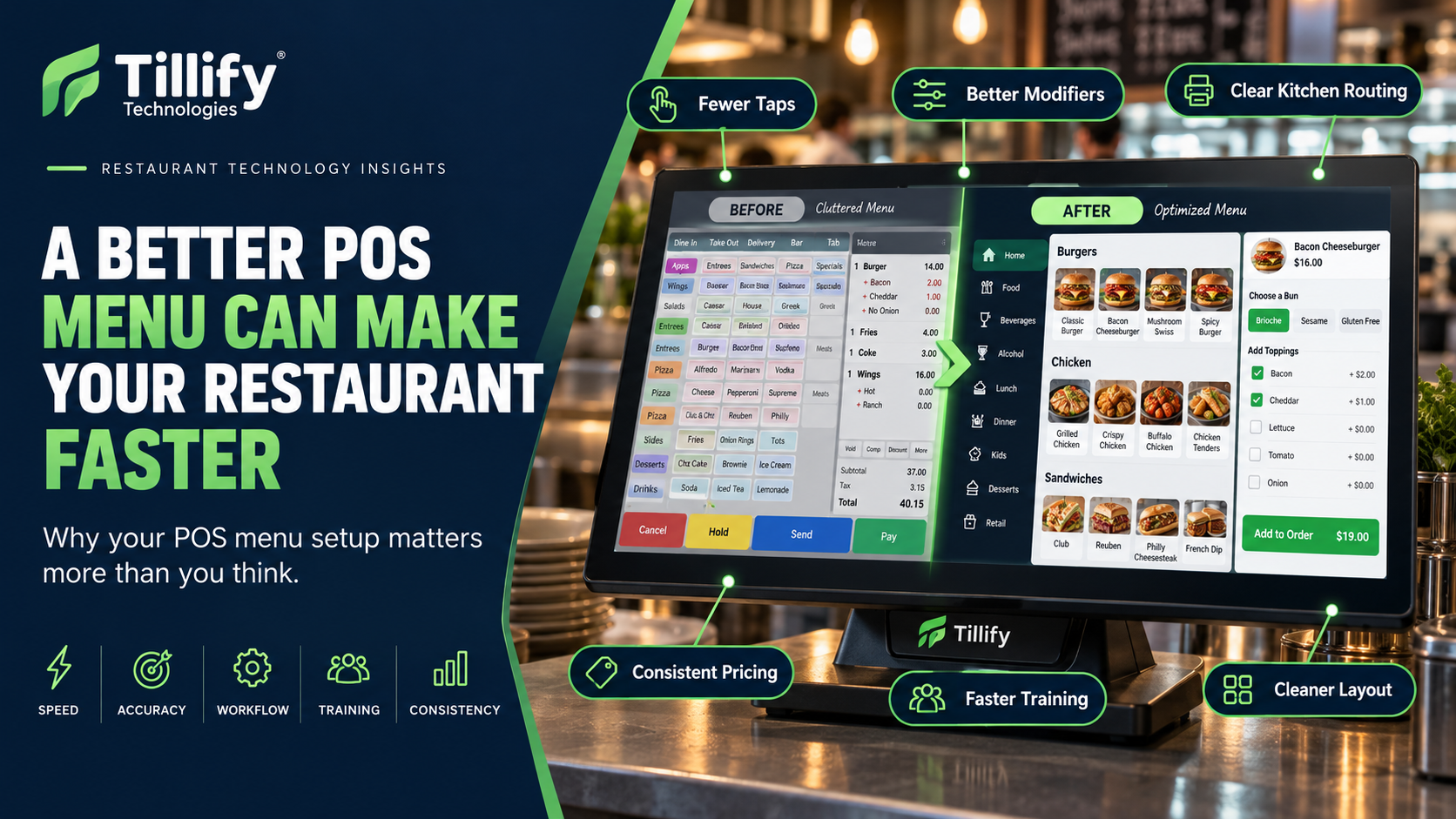
When restaurant owners consider improving their point-of-sale system, they often focus on hardware, software features, integrations, or payment processing. The menu itself rarely gets the same attention. For employees, the POS menu is the system. Servers, bartenders, cashiers, and managers use it hundreds of times a day. If that menu is cluttered, inconsistent, or poorly organized, every order takes a little longer.
Employees hunt for buttons.
Modifiers appear that don't apply.
Common choices require unnecessary taps.
Instructions reach the kitchen inconsistently.
None of those problems may seem significant on their own. Multiply them across hundreds of orders and thousands of transactions, and poor menu configuration can create real operational friction. A well-designed POS menu should make it easier to enter the correct order quickly.
Here are some of the areas restaurants should pay attention to.
1. Organize the Menu Around How Employees Use It
Your POS menu does not necessarily need to mirror your printed menu. A printed menu is designed for guests. A POS menu should be designed for employees entering orders.
Those are different jobs.
An employee may benefit from categories such as:
- Appetizers
- Salads
- Burgers
- Entrées
- Sides
- Desserts
- Kids
- Drinks
- Beer
- Wine
- Cocktails
The ideal structure depends on how your restaurant operates. A high-volume bar may want to lead with frequently ordered drinks, while a quick-service restaurant may organize screens around meal periods or order flow. A full-service restaurant may benefit from categories that correspond closely with kitchen stations or courses.
The goal is simple:
Put the things employees use most where they can reach them quickly.
2. Remove Old and Duplicate Buttons
Restaurant POS menus tend to accumulate clutter.
A seasonal item is added.
A temporary special becomes permanent.
Someone creates a second button because they cannot find the original one.
An old item remains because nobody is sure whether deleting it will break something.
Over time, employees may end up with:
- Duplicate items
- Old prices
- Discontinued dishes
- Unused categories
- Temporary buttons
- Test items
- Obsolete modifiers
That clutter makes the POS harder to use and increases the chance of selecting the wrong item. Review the menu periodically and remove what no longer belongs.
A cleaner system is usually faster.
3. Build Modifier Flows That Make Sense
Modifiers are one of the easiest ways a POS menu can become unnecessarily complicated.
Imagine entering a burger.
A good flow might ask:
Temperature → Cheese → Toppings → Side → Add-ons
That follows the way the employee naturally thinks about the order.
A poor setup may present dozens of modifiers on one screen:
American cheese.
No onions.
Extra ketchup.
Medium rare.
Side salad.
Gluten-free bun.
Bacon.
No salt.
Rare.
Extra pickles.
French fries.
Swiss.
Now the employee has to scan everything to find the right choice. Good modifier design reduces decision-making. Show employees only the choices they need at that point in the order.
4. Use Required Modifiers Carefully
Required modifiers can improve accuracy.
They can also drive employees crazy.
Requiring a steak temperature makes sense. Requiring an employee to choose something that doesn't actually matter may add another tap to every order. Use required modifiers for information the kitchen or operation truly needs.
Examples might include:
- Steak temperature
- Side selection
- Dressing choice
- Bread choice
- Protein choice
- Size
Avoid requiring employees to make unnecessary selections just because the system allows it. Every required step should have a reason.
5. Make Common Modifications Easy
Restaurants inevitably have common requests.
No onions.
Sauce on the side.
Extra cheese.
Gluten-free bun.
Add chicken.
Substitute fries.
If employees enter those requests repeatedly, they should not have to type them manually every time. Common modifications should usually be available as clearly labeled buttons. That improves speed and consistency.
It also gives the kitchen standardized information instead of receiving:
NO ONION
NO ONIONS
HOLD ONION
WITHOUT ONION
all meaning the same thing.
Consistency matters.
6. Think About What the Kitchen Sees
The menu is not only about the employee entering the order. It also affects the employees producing it. A modifier that makes perfect sense at the POS may be confusing when it reaches a kitchen printer or display.
For example:
Burger
MOD
NO
ADD
EXTRA
MOD
NO
ADD
EXTRA
is not particularly useful. Kitchen information should be clear and concise. Review actual tickets or kitchen-display output.
Ask the kitchen team:
Does this tell you exactly what you need to make?
If not, you may need to adjust the menu.
7. Review Kitchen Routing
Menu configuration and kitchen routing go hand in hand. When an employee rings an item, the POS needs to know where that item should go.
For example:
Cocktail → Bar
Appetizer → Fry station
Entrée → Hot line
Dessert → Pantry
As menus change, routing sometimes gets left behind. A newly created item may not print anywhere. A dessert may accidentally route to the hot line. A duplicate item may follow different routing rules from the original. Whenever you add or change menu items, verify where they're being sent.
8. Be Consistent With Naming
Naming conventions seem like a small detail.
They're not.
If one item is called:
Chicken Caesar
another:
Caesar w/ Chicken
and another:
CKN Caesar
Employees have to decode the menu mentally, which can slow things down and increase errors.
Choose a naming approach and use it consistently.
That applies to:
- Menu items
- Modifiers
- Sizes
- Discounts
- Payment types
- Categories
Consistency makes the system easier to learn and reduces mistakes.
9. Think About Button Placement
High-volume items should usually be easy to access. If employees sell 200 cheeseburgers every day, that button probably should not be buried three screens deep.
Look at your sales data.
Identify your most frequently ordered items.
Then evaluate how many taps it takes to enter these items.
One unnecessary tap does not sound like much, but if an employee performs that tap hundreds of times every shift, the wasted motion adds up. Your POS should prioritize what employees do most often.
10. Review Pricing Rules
POS menus often contain more pricing logic than restaurant owners realize.
That may include:
- Happy-hour pricing
- Lunch pricing
- Dinner pricing
- Sizes
- Add-ons
- Substitutions
- Combo pricing
- Employee discounts
- Promotional discounts
- Location-specific pricing
Make sure those rules are intentional.
A restaurant should not depend on employees remembering:
"Don't use that button after 4:00 because the price is wrong."
If pricing changes according to time, location, or selection, configure the POS to handle it whenever possible.
11. Don't Forget Online Ordering
Your online menu may use the same POS data, or a version of it. That means poor POS configuration can affect the guest experience too.
Review your online menu for:
- Item names
- Descriptions
- Pricing
- Modifier order
- Required selections
- Availability
- Photos
- Sold-out items
A modifier layout that works for an experienced server may confuse a customer ordering online. Sometimes the same underlying menu needs different presentation rules depending on the ordering channel.
12. Build for New Employees
One of the best tests of a POS menu is giving it to someone unfamiliar with it.
Can a new employee figure out where things are?
Or does everything require tribal knowledge?
If training includes statements like:
"You'll never use that button."
"Ignore that entire screen."
"That burger is actually under sandwiches."
"Don't use this discount even though it's still here."
Your menu probably needs cleanup.
An intuitive POS reduces the amount of information employees need to memorize.
13. Don't Overbuild the Menu
You may also be tempted to configure every imaginable possibility. That can create another form of clutter. You do not necessarily need a dedicated modifier for an unusual request that happens twice a year. Build the system around the restaurant's normal workflows. Handle true exceptions as exceptions. The goal is not to make the menu capable of representing every theoretical order. It is to make the most common orders fast, clear, and accurate.
14. Review the Menu Regularly
POS menu maintenance shouldn't happen only when prices change.
Restaurants evolve continuously.
Items become more or less popular.
New service models are introduced.
Kitchen stations change.
Employee feedback reveals problems.
Online ordering expands.
Schedule periodic menu reviews.
Ask:
- Are there unused buttons?
- Are employees struggling to find anything?
- Are modifiers organized logically?
- Are prices correct?
- Is routing accurate?
- Are discounts still needed?
- Are kitchen tickets clear?
- Are online menus accurate?
Small improvements can make a surprisingly noticeable difference.
Don't Blame the POS Before You Check the Configuration
When employees say:
"This POS is terrible."
They may be right.
Sometimes they are describing how the system was configured rather than the platform's capabilities. A capable POS with a poorly designed menu can feel slow and frustrating. A thoughtfully configured menu can make the same system feel completely different.
Before replacing technology, determine whether the problem is truly the POS, or whether the restaurant needs a better setup.
The Bottom Line
The POS menu is one of the most-used tools in a restaurant. It deserves more attention than simply entering item names and prices. A good POS menu should help employees move quickly, reduce unnecessary choices, communicate clearly with the kitchen, and make common orders easy to enter. The best configuration isn't necessarily the most complex.
It’s the one that matches how your restaurant actually operates.
Every unnecessary tap is a tiny bit of friction. A well-designed POS menu removes as much of that friction as possible.
Is Your POS Menu Working Against Your Team?
Tillify Technologies helps restaurants build, clean up, and optimize POS menus around real restaurant workflows.
Whether you're opening a new location, changing POS systems, updating an existing menu, or simply trying to make order entry easier, better configuration can improve the system without replacing it.
Your POS should make ordering easier, not give your employees another problem to solve.
Comments